Profile
What Lives Where
The Five Tabs
The profile is organized across five distinct tabs. Each tab presents a separate section of the profile, keeping the information clear, focused, and easier to navigate. Individual views can also be linked directly, allowing users to open the exact section they need without manually searching through the full profile.
- Activity
- Your Discord engagement heatmap. Messages, voice, reactions, streaks; the Cogitator records what the vox bot observes.
- Dossier
- Mortal record (real name, bio, avatar, platform handles), game notification management and your lore sheet.
- Campaign
- Your current Crusade oath and assignment, plus your Wrath & Glory character card if you carry one.
- Honors
- Active and past oaths, and any Purity Seals awarded for long service or notable deeds.
- Stats
- Detailed performance by game and mode. Every kill, every wave cleared, every match played, drawn directly from your AARs.
The Mortal Record
Your Profile
The Mortal Record is the link between your community account and the real life behind it. The chapter knows you by your callsign and your rank; the Mortal Record carries the quieter detail. None of it is required to play, but each field has a purpose, and the more you fill in the easier it is for the chapter to find you, tag you, and ping you when something is happening.
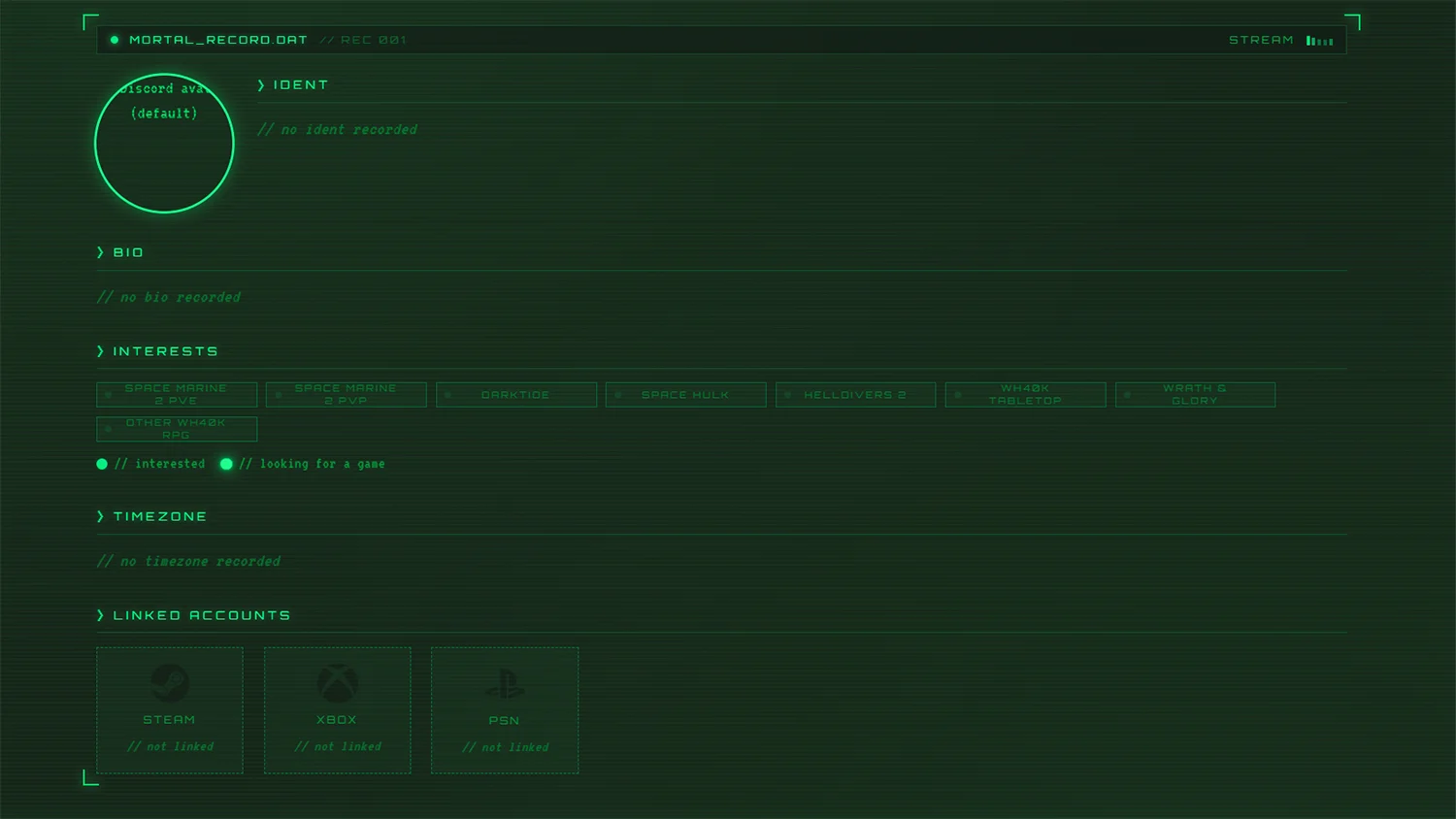
The Mortal Record gathers four groups:
- Name & Bio
- Optional. A first name and a short biography of the brother behind the helm. Useful when squad leads want to address you by name; visible only to ranking officers.
- Interests
- Mark the games we support and whether you want to be pinged when others are looking for a squadmate. See Section III for how the looking-for-game signal works.
- Timezone
- Set once so other brothers know when you're generally available. Useful for squad scheduling across the chapter.
- Linked Accounts
- Steam, Xbox, and PSN handles. These let the Cogitator auto-tag you on AAR screenshots. See Section IV for the rite.
Setting Game Interests
The Mortal Record
Game Interests are a two-state signal. Click a game once to mark yourself as a player; the chapter notes you among brothers who own that title. Click it again to raise the looking-for-game flag, and your Discord role updates to match. Any brother pinging the LFG channel for that game now pulls you in.

- First click
- Interested.You're added to the game's roster. Squad leads can see who plays what when organizing.
- Second click
- Looking For Game. Discord role updates; the chapter pings you when other brothers are mustering a squad in that game.
- Third click
- Clears both states. The game falls off your record.
Linking Your Platforms
The Mortal Record
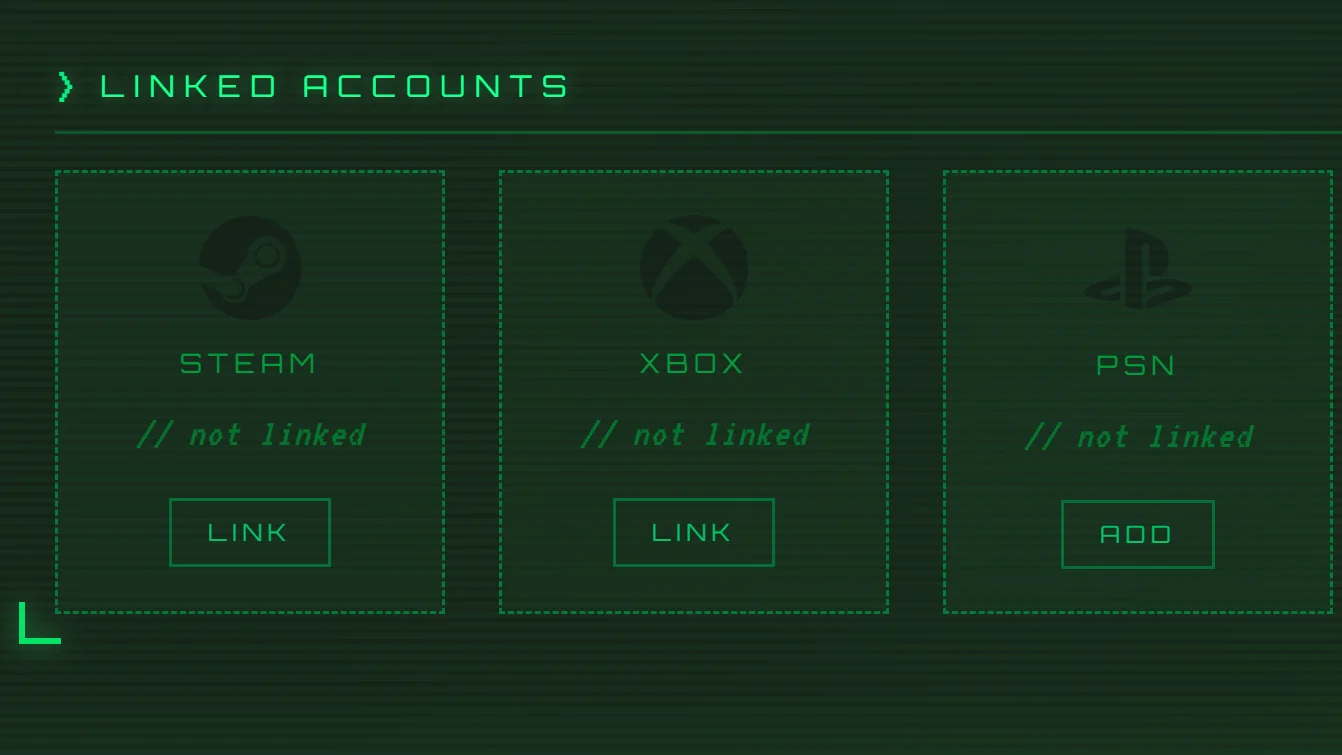
Open Dossier → Mortal Record. This section contains the key identity fields used for AAR auto-tagging, and entering the names you play under saves a hundred future squadmate-searches when uploading AARs.
- Steam Name
- Linked via the Steam Web API. When the Cogitator sees this name on a stats screen, it tags you automatically.
- Xbox Gamertag
- Linked via Microsoft XBOX API. Same auto-tag behaviour as Steam.
- PSN Online ID
- Self-entered. We cannot verify against Sony's API, so type it exactly as it appears in-game.
Avatar & Calibration
The Vox-Portrait
Your Vox-Portrait is the image displayed wherever your record appears. It is the face your brothers will recognize through the darkness of Nihilus, the war feed, and the rolls of honor.
- Paperdoll Vox-Portrait. A layered, paperdoll-style avatar assembled from items acquired through the shop, including helms, armor plate, and other visible accessories. Visit the Shop folio to see which items are currently available and what can be equipped on your Vox-Portrait today.
Common Questions
FAQ
Stats are credited the moment an AAR is filed. If you played but no brother filed a report for the match, no stats post. File the AAR yourself from the appropriate AAR Submission Option, or ask one of your teammates if they could.
The Cogitator reads your stats screen by screenshot. If the image was blurry, low-resolution, or a phone photo of a monitor, OCR can drift. Tell the brother who filed the report and they can re-upload a clean screenshot, or a Sergeant can amend the AAR.
The chapter pulls your Discord display name and avatar when you first log in. Update them in Discord; they will refresh on your next sign-in.
Yes. The Mortal Record fields (real name, local timen, age) are optional and visible only to members of the community. If you are not comfortable sharing, feel free to skip entering the data.
Use the Nihilus Roster for the chapter-wide directory, or click any name in a dispatch, AAR, or chat window.